
MEA 5
The new and fully rewritten version of MEA is here!
MEA5 Pro and MEA5 Basic are available on the App-Store.
Download here: https://apps.apple.com/us/app/mea5-basic/id6759365681
Download here: https://apps.apple.com/ch/app/mea5-pro/id6757306910
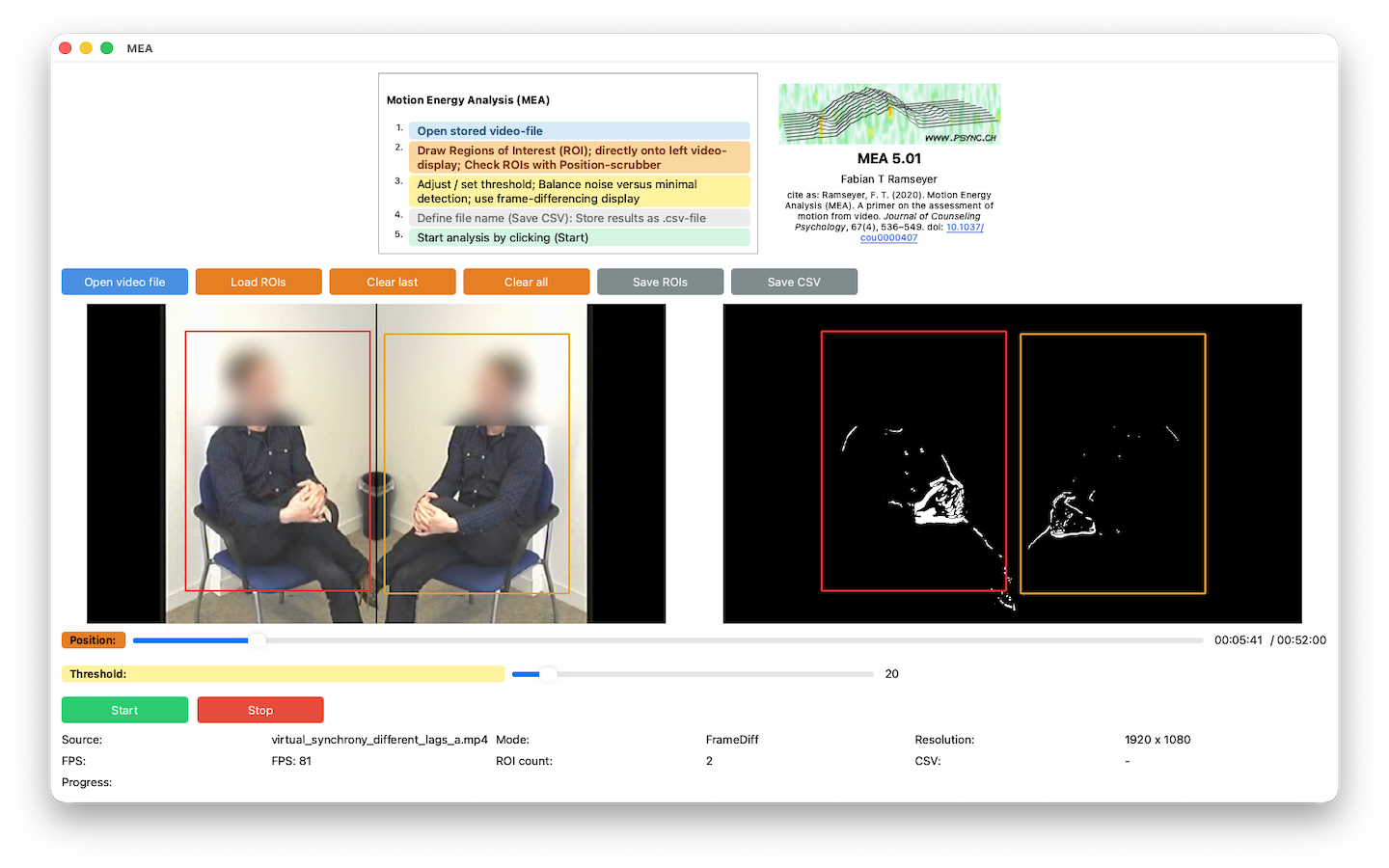
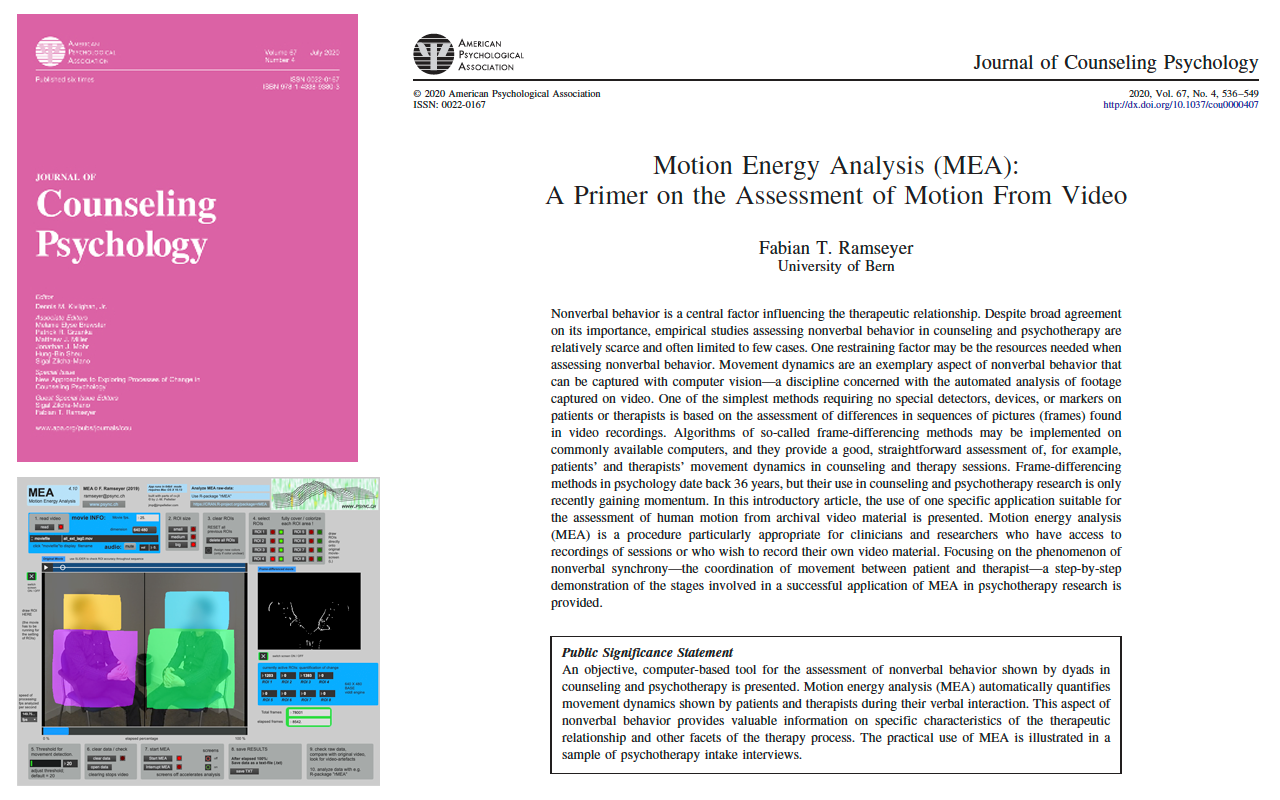
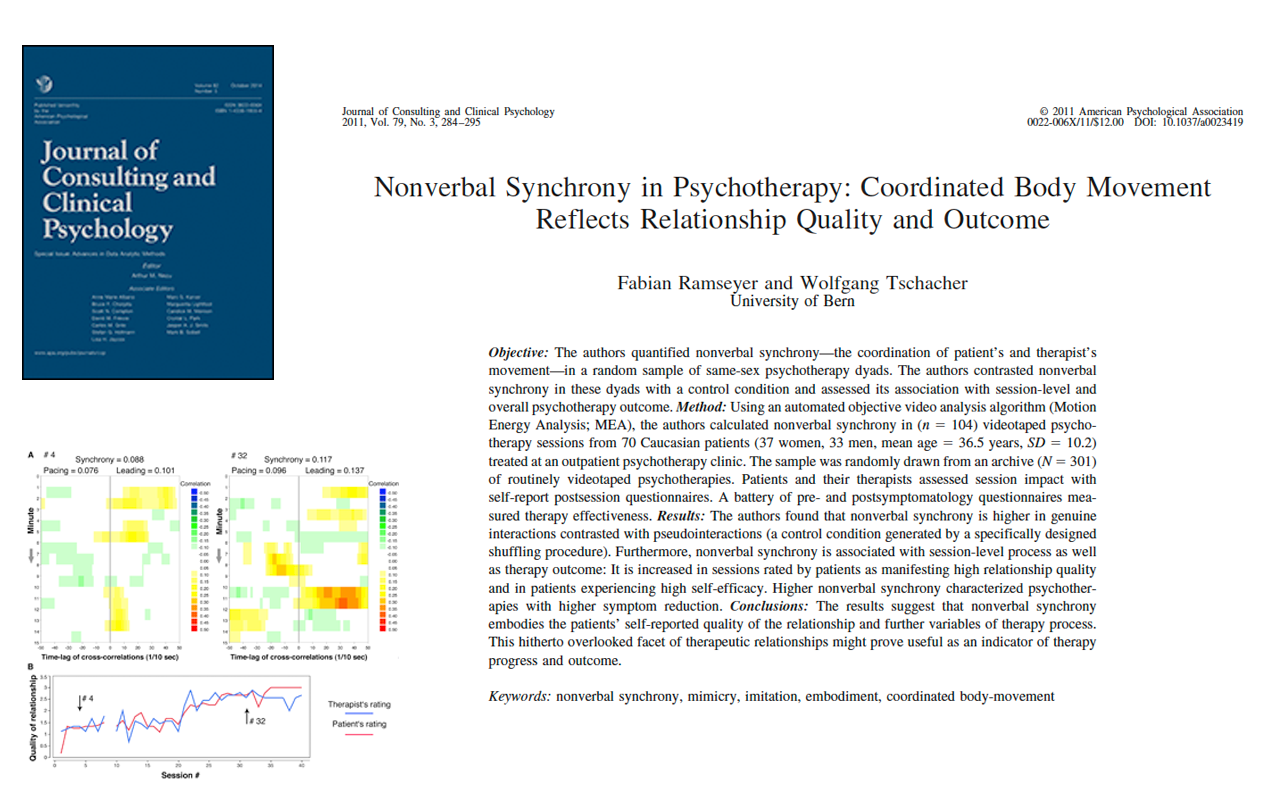
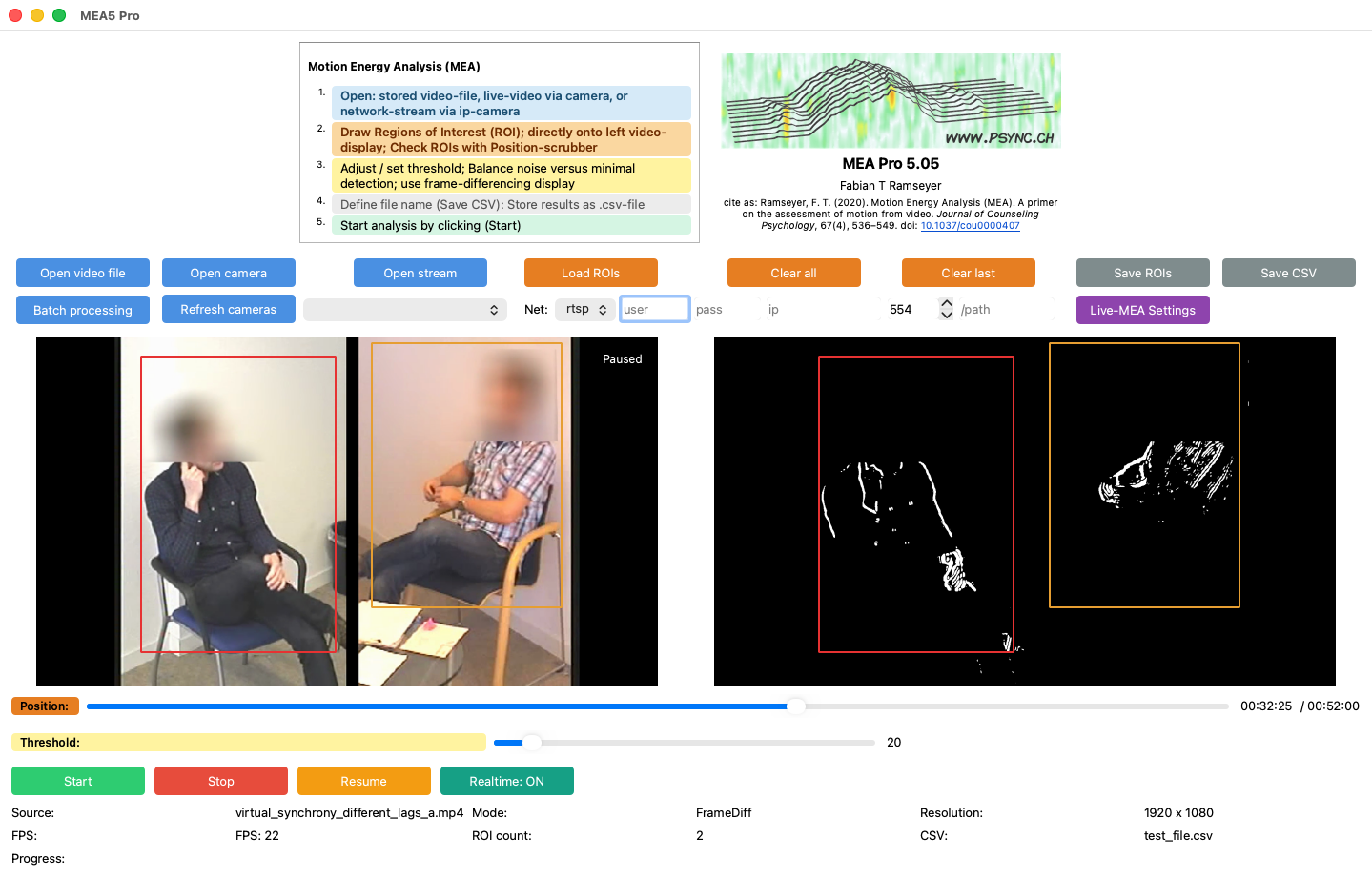
MEA5 Pro (paid version) supports live video input from USB cameras and network cameras, enabling the analysis of incoming video streams. The software also allows real-time export of analysed movement data.
These data can be used to provide real-time feedback on movement synchrony. Scripts for visualizing and quantifying synchrony in real time using R are available upon request.
MEA5 Pro includes:
- Live camera input (USB cameras)
- Network camera streams
- Real-time data export
- Real-time synchrony feedback
MEA5 Basic
- Offline analysis of recorded video files
- Automated quantification of movement in predefined regions of interest
- Export of raw movement data for further analysis (e.g., in R using the rMEA package)
- Simple and robust setup for research applications
MEA5 Pro
Includes all features of MEA5 Basic, plus:
- Live video input from USB cameras
- Support for network camera streams
- Real-time export of movement data
- Capability to provide real-time feedback on movement synchrony
MEA5 5.05
Added Pause/Resume Buttons.
Video can now be played at “realtime” speed.
MEA5 5.04
fixed the output column “t_ms”:
Fixed the output index for analyses of existing video files. The previous “t_ms” column reflected elapsed processing time rather than video time. It has been replaced by “frames”, indicating the number of processed analysis frames. Existing movement values from version 5.03 and earlier remain valid.
Important finding from a recent study:
Motion Energy Analysis (MEA) and OpenPose provide highly comparable data when using Wavelet-Coherence to quantify nonverbal synchrony:
Fujiwara, K., & Yokomitsu, K. (2021). Video-based tracking approach for nonverbal synchrony: A comparison of motion energy analysis and openpose. Behavior Research Methods, Advance online publication. doi:10.3758/s13428-021-01612-7
Great work by Ken Fujiwara and K. Yokomitsu.
MEA 4.11a & MEA 4.11b. (a = 16:9); (b = 4:3)
March 23rd 2021
The updated versions of MEA have been reported to produce anomalies in the ROIs.
Specifically, ROI_2 and ROI_7 have been reported to be e.g. too low or not providing meaningful time-series (1 report of this anomaly so far).
I was not able to reproduce this behavior, but as mentioned multiple times before:
PLEASE carefully check your raw data!
Because MEA is free software, I unfortunately do not have the resources to check all configurations of all Operating Systems.
MEA 4_11 definitely works on Mac OS X 11.2.3 (as of 23.03.21)
I suggest to use the test-video available on OSF (https://osf.io/gkzs3/) if you want to test this for your own setup.
Thanks for your understanding!
Best, Fabian
MEA 4.11a & MEA 4.11b. (a = 16:9); (b = 4:3)
June 30th 2020
The updated versions of MEA are now available for Mac and Windows.
Changes:
– Possibility to switch off the beeps emitted after the completion of the analysis (default=off)
– Links to OSF-Website / R-package /psync.ch integrated in graphical user interface.
– reference to MEA-publication in “The Journal of Counseling Psychology” included
–> please cite 🙂
MEA 4.10a & MEA 4.10b. (a = 16:9); (b = 4:3)
10. May 2019
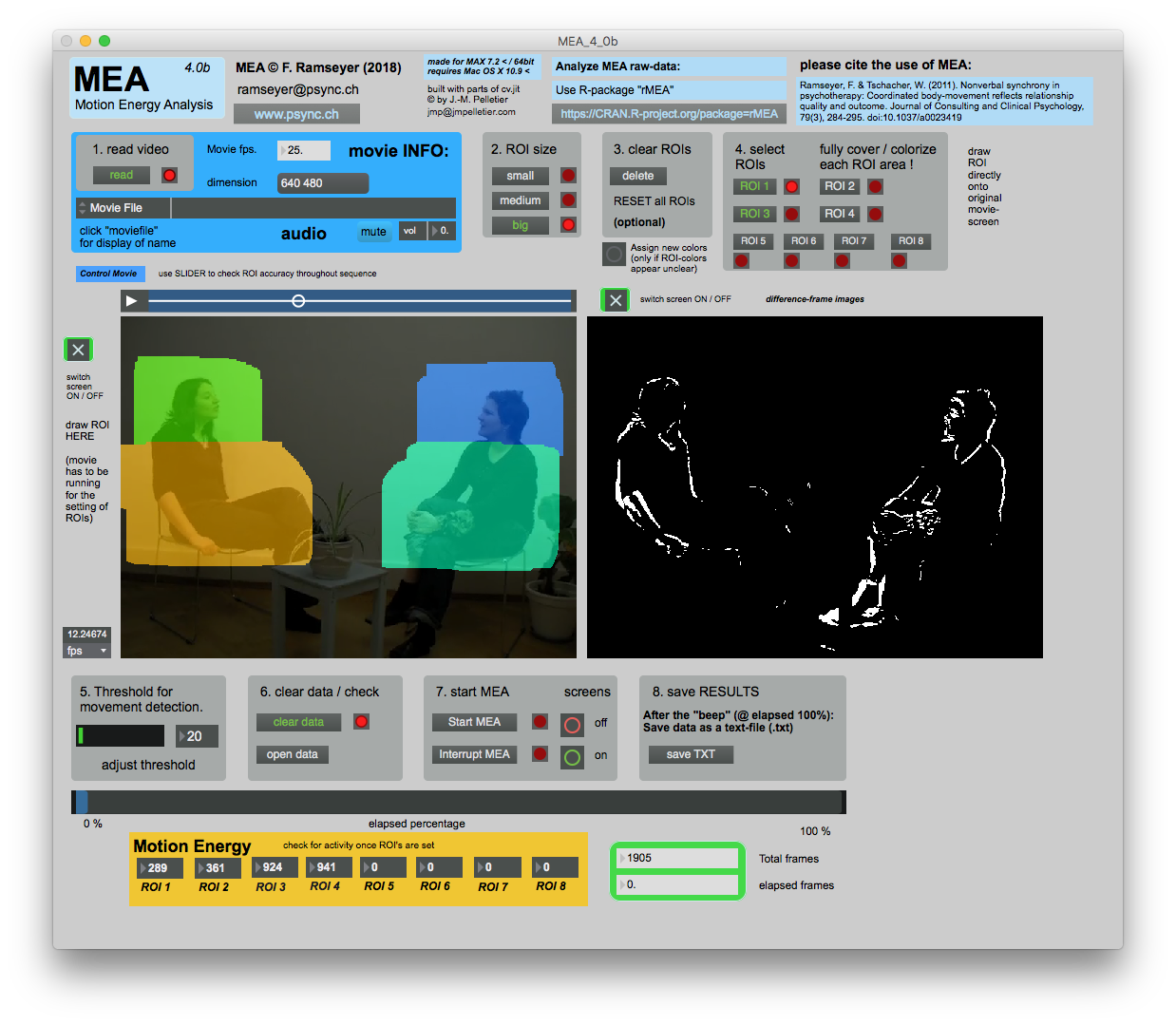
The updated version of MEA (4.10b; 4:3 screen-ratio) is now available for Mac
and WINDOWS
Tested under “Windows 7” and “Windows 10”, MEA should once again become accessible to a broad range of users, irrespective of their operating system.
A word of caution to Windows-users: Please note that I am not able to test the Windows-version under all configurations. Your success may vary; I suggest to closely check the raw data gained from MEA!
Using rMEA (https://CRAN.R-project.org/package=rMEA) is suggested for convenient checking of your data.
MEA 4.03a & MEA 4.03b
09. Aug 2018
The revised versions of MEA 4.03a (for recordings in format 16:9) and 4.03b (format 4:3) have been modified and work well on OSX 10.13
Certain video codecs may require an older Quicktime-component inside MEA. If you are using MEA on your Mac, please make sure that the number of time-points (lines) saved in the text-file from MEA matches the number of frames indicated.
Click (6.) open data, compare with “Total frames” (see picture below).
Discrepancies > 5 time-points indicate problems with your specific codec. Please get in touch with me in order to find a solution (ramseyer – at – psync.ch).
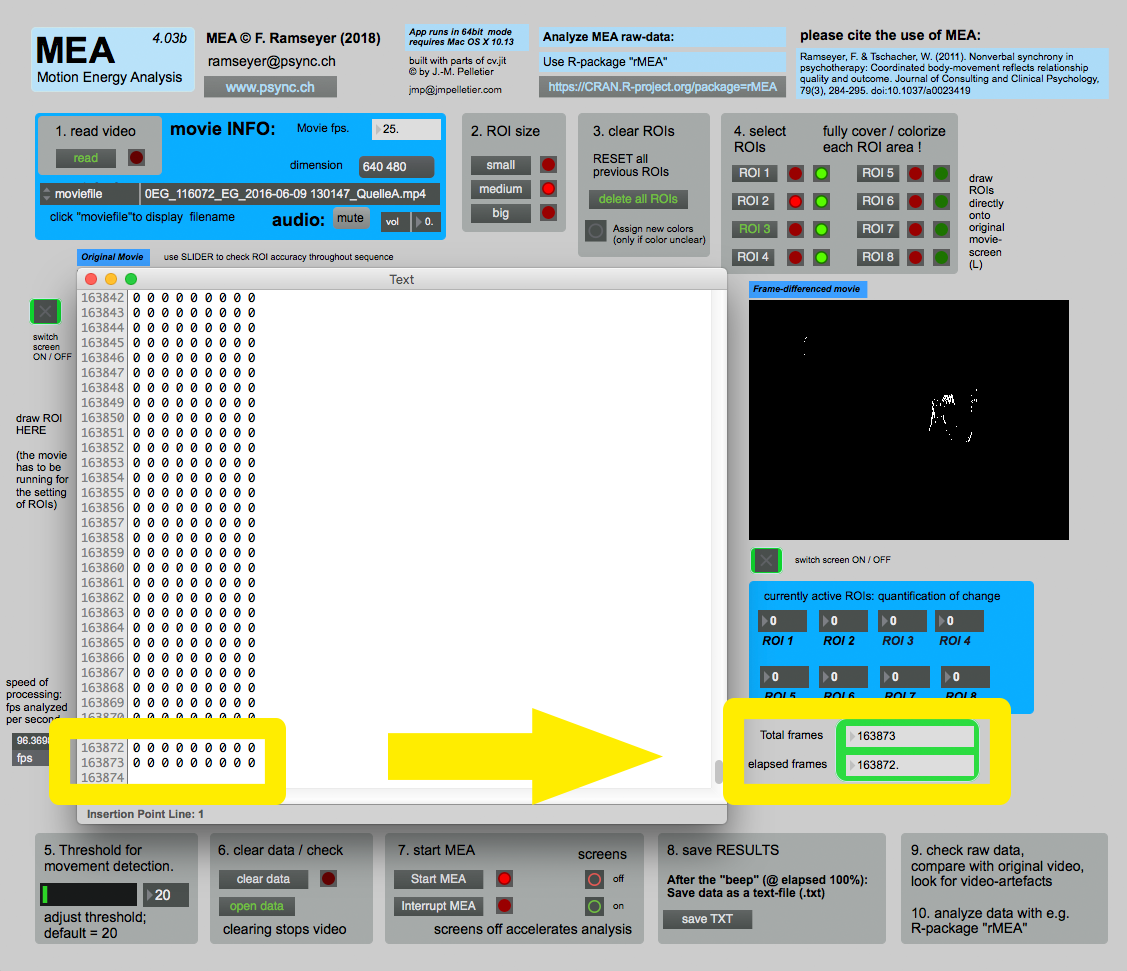
MEA 4.03b
04. Apr 2018
It appears that some updates on OSX have led to several problems with MEA.
One current solution is to stick with OSX 10.13 and to try MEA 4.03b.
The stable version 3.10 has been corrupted on systems running OSX 10.11 …
Especially the numbering of ROIs appears to be broken after a security update on 10.11 (March/April 2018).
Feedback on the performance of MEA 4.03b is welcome.
MEA 4.0a / 4.0b
16. Mar 2018
A new version with streamlined interface is now available.
This version is still in beta-mode. Any feedback is highly recommended.
***** Update 22.03.2018 *****
It appears that version 4.0b is rather unstable.
Additionally, the data generated by the program varies when the same sequence is analyzed multiple times (i.e. not “freshly loaded” using the “read” button).
Please use the older version 3.10 for scientific analyses.
Updates should be posted soon.
**********************************
***** Update 04.04.2018 *****
Version 4.03b is running much more stable on OSX 10.13
*****************************
Analysis of MEA-raw data may now be easily implemented in a specifically designed R-package: “rMEA”
This package provides a suite of tools useful to read, visualize and export bivariate motion energy time-series. Lagged synchrony between subjects can be analyzed through windowed cross-correlation. Surrogate data generation allows an estimation of pseudosynchrony that helps to estimate the effect size of the observed synchronization.
See:
https://CRAN.R-project.org/package=rMEA
*************************************************
MEA 3.13 seems to be too unreliable.
Please use version 3.10 in the meantime. Update follows by the end of the year (2017).
MEA 3.13a / 3.13b
10. Jun 2017 update: 08.08.2017
Beginning with Version 3.13, two variants of MEA are now available: One for the traditional 4:3 recording-format (3.13b) and one for the now more common 16:9 (high definition) format (3.13a).
Serial processing works again, but the user has to create an output-folder, and the MEA-program has to be placed in the same folder as the videos (see instruction manual for further details).
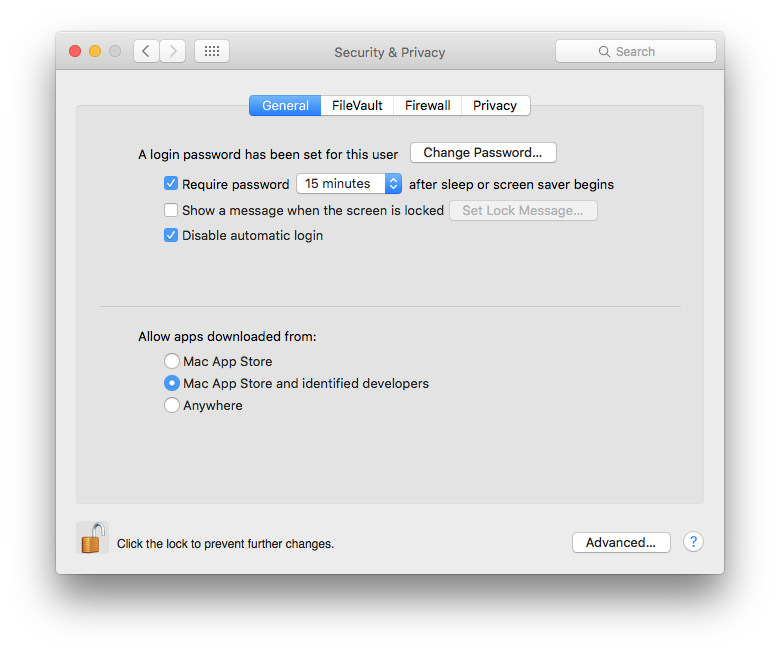
On OS X 10.12, please make sure you allow programs from “Mac App Store and identified developers”.
This is found here:
System Preferences … –> “Security & Privacy” –> “Allow apps downloaded from: • Mac App Store and identified developers”
MEA 3.10
10. Feb 2017
MEA 3.06
06. Jun 2016
The new version of MEA is based on an improved video engine. This results in much faster performance and stability. More flexibility in terms of video-codecs.
REQUIRES OS X 10.9 and higher!
The app is now codesigned by me, i.e. I am a so-called “Third Party Mac Developer”. Please change your security settings as follows:
MEA 3.04
01. Feb 2016
The new version of MEA is now released. Please refer to the manual for new settings and mode of operation.
Feedback on the performance of this new version is always welcome.
Please have a look at the new support-forum for frequently asked questions/solutions.
MEA 3
03. Jan 2016
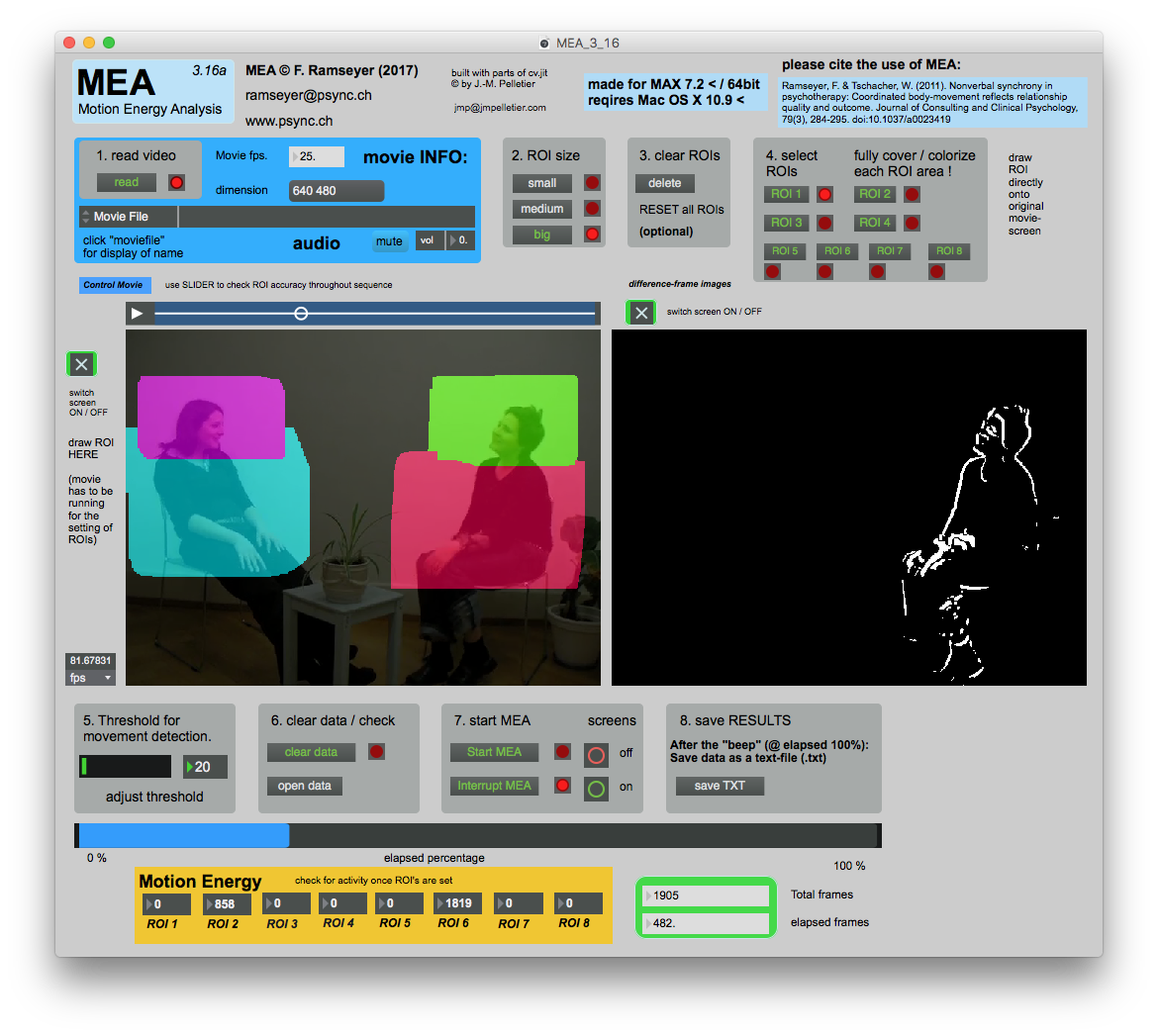 Major change in how videos are being processed. (MEA 3 runs in 64bit-mode only).
Less complications with high-resolution videos.
Runs more stable on slower computers.
No restrictions in terms of hard-disk type or speed (SSD / 7200 rpm).
Windows-compatibility restored.
Processing of multiple (unlimited) files with identical settings is now possible: A folder with any number of video-files may now be processed automatically; results are saved directly to the video-folder.
This auto-mode only works if all videos share the same basic characteristics, such as positioning of regions of interest.
Simplifications in the user interface (less options, more intuitive selection)
Data gathered with MEA 2.14 is identical to MEA 3, but ease of use and speed are increased in the new version. Additionally, there are fewer problems in terms of frame-dropping and less issues with slower computers.
MEA 2.14
22. Jul 2015
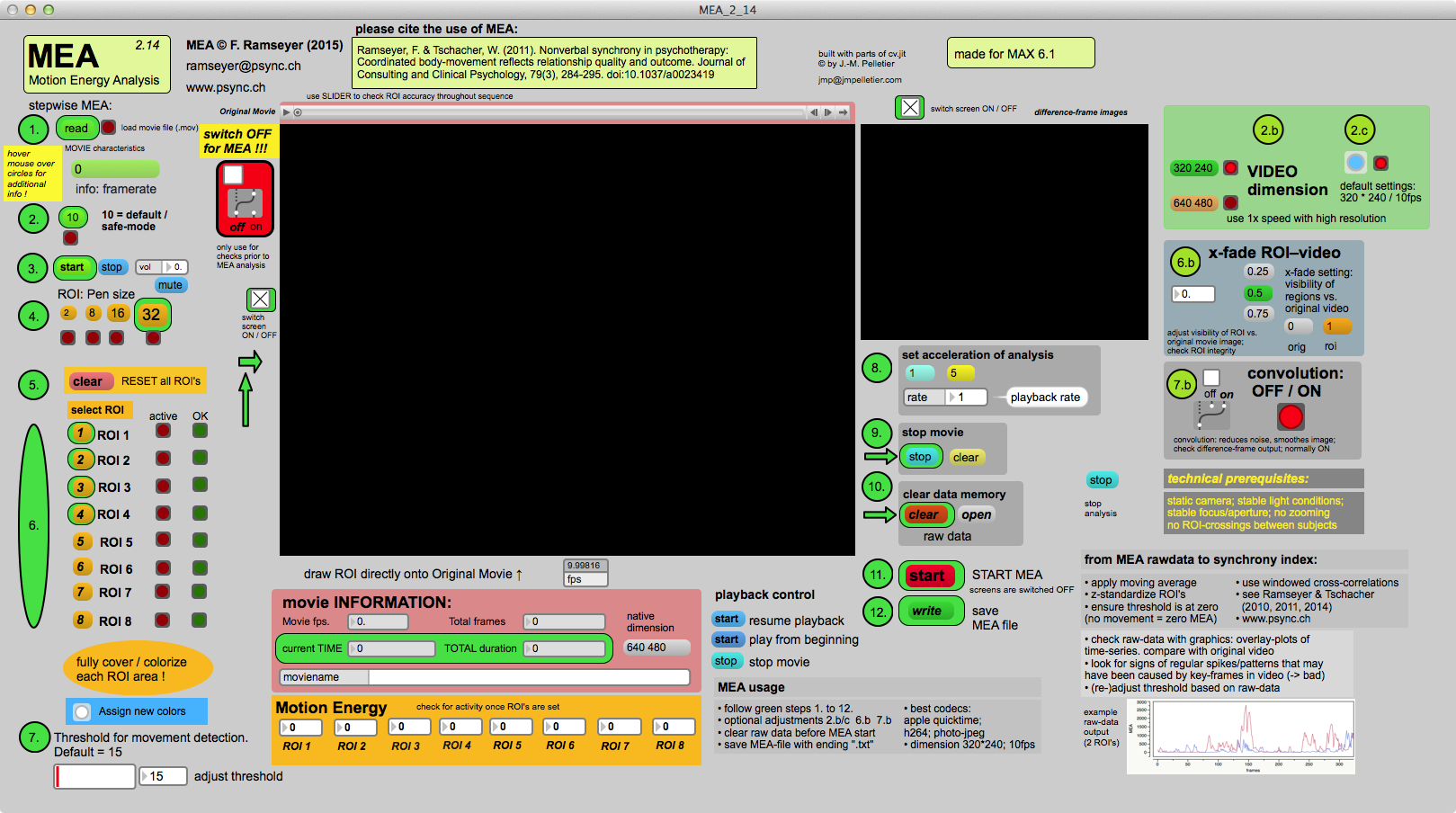
Improvements in dealing with ROIs.
Video-screens are now switched off automatically before analysis.
Easier selection of speed for analysis.
Updated instructions manual.
MEA 2.10
11. Dec 2014
Added the ability to speed up the analysis.
Videos at resolutions of maximally 640×480 may now be analysed at a speed 5-times higher than the original speed
Thus 1 hour of recorded video may now be analysed in the much shorter timespan of 12 minutes. (The speed-up only works on newer Macintosh computers equipped with solid-state drives).
MEA 2.08
10. Nov 2014
Improved movie handling and control.
Extended Instructions: Solutions to frame-drops and other anomalies.
MEA 2.07
11. June 2014
Added extension to enable registration of 8 ROIs
Improved movie handling and control.
MEA 2.06
20.Feb 2014
Fixed movie controls.
MEA 2.05
22.Nov.2013
User interface improvements.
MEA 2.04
13.Oct.2013
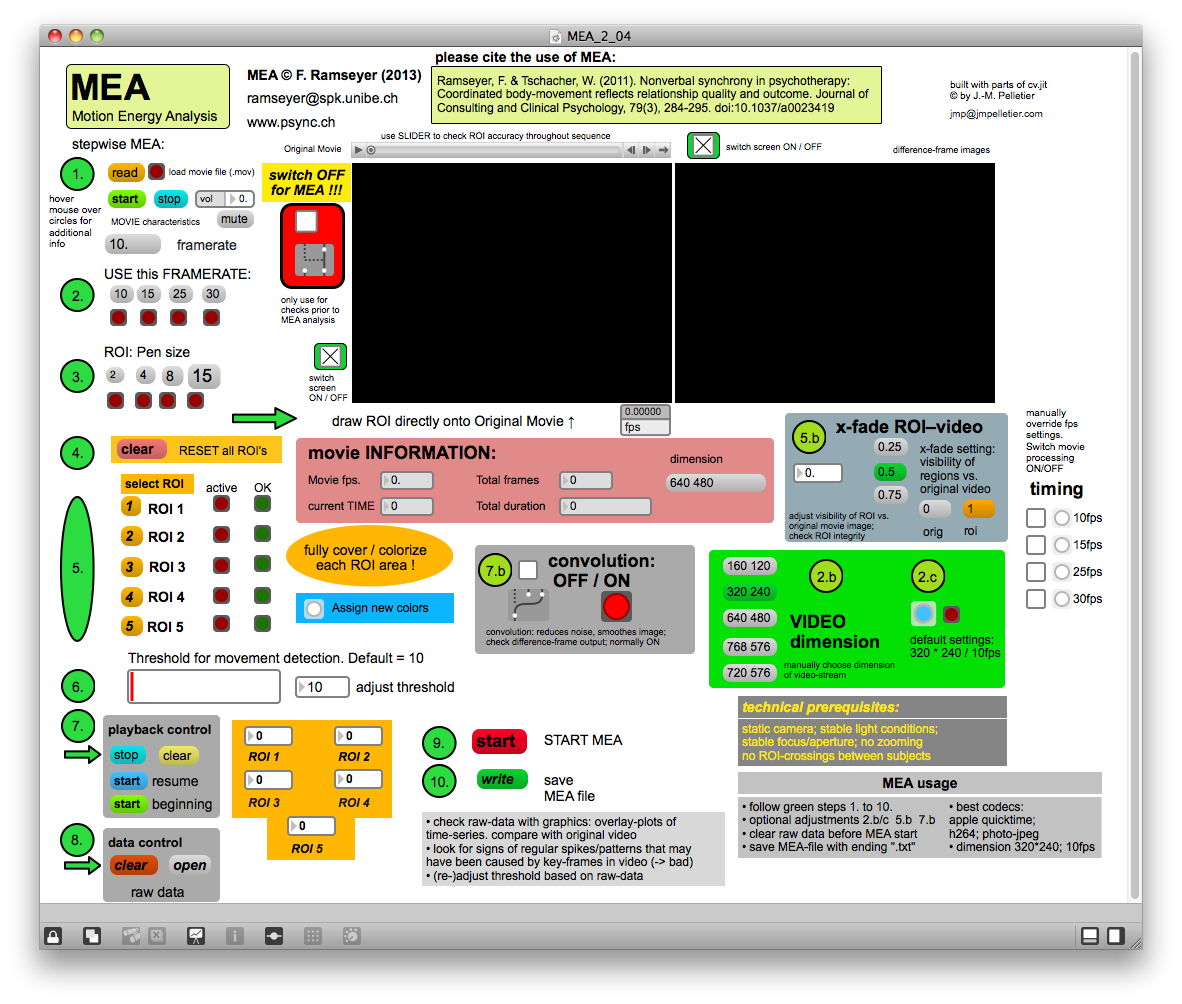
Performance improvements.
MEA 2.03
01.Oct.2013
Small graphical adjustments.